
 Tweet
Tweet
In this thread I'd like people to post their tips & tricks for improving client performance.
-
Last edited by Rab; 04-09-2026, 12:44 PM. -
I'm trying out something called FastSync atm, info:
Interested in hearing others' opinions on SS w/ FastSync, GSync, FreeSync..Comment
-
Doesn't make any sense but my fps would go up 200% just by having youtube video up in the background. Maybe try it out?sigpicComment
-
This is interesting. I defo get a lot of this sort of stuttering.

Comment
-
Anyone here have a high refresh rate monitor and can comment on how much it helps with ss?Comment
-
Verdict: This setting is good because it completely eliminates tearing, ppl with nvidia GPUs should turn it on.Originally posted by Rab View PostComment
-
Just realised a key bit of information is missing from this thread.
To make FPS appear (tiny red text at the top of your screen) press Esc+FComment
-
Another observation since switching browser from Chrome to Firefox.
Having Chrome open in the background is worse than having Firefox open in the background.
F knows why, but it's noticable.Comment
-
Pls sticky this thread.Comment
-
-
Forcing vsync on in the nvidia control panel seems beneficial at 1440p, better to fix tearing at the expense of response time.
If you have the option "Fast" and about 300 fps in game (Ctrl+F) then use "Fast".
 Last edited by Rab; 02-10-2019, 02:48 PM.
Comment
-
It's also worth checking your monitor's settings (OSD) for a fast response time option.

Comment
-
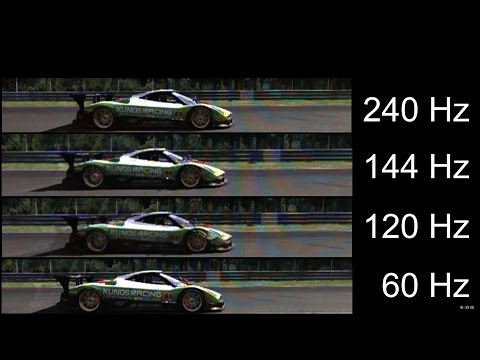
I'm also starting to think that buying a higher refresh rate monitor is the way to go.
Comment
-
Discovered something significant today, would really welcome any input from anyone who knows why this happens.
I've been playing full screen the whole time. Performance feels awful, it feels like flying through mud. After recent discussions with turban about the settings he uses, I've tried various different window sizes. What I've discovered is that resolution isn't the main factor, simply changing from full screen to windowed mode is a MASSIVE improvement. No longer moving through mud, fairly smooth client.
So here's a test, 1440p full screen vs 1440p windowed.
Both tests use 1 full CPU core.
Full screen - maxes out the GPU, about 340 fps.

Windowed - does not max out the GPU, about 440 fps.

Note: I have "No Framerate Limit" checked, when I uncheck it performance feels terrible in both tests.Comment



Comment